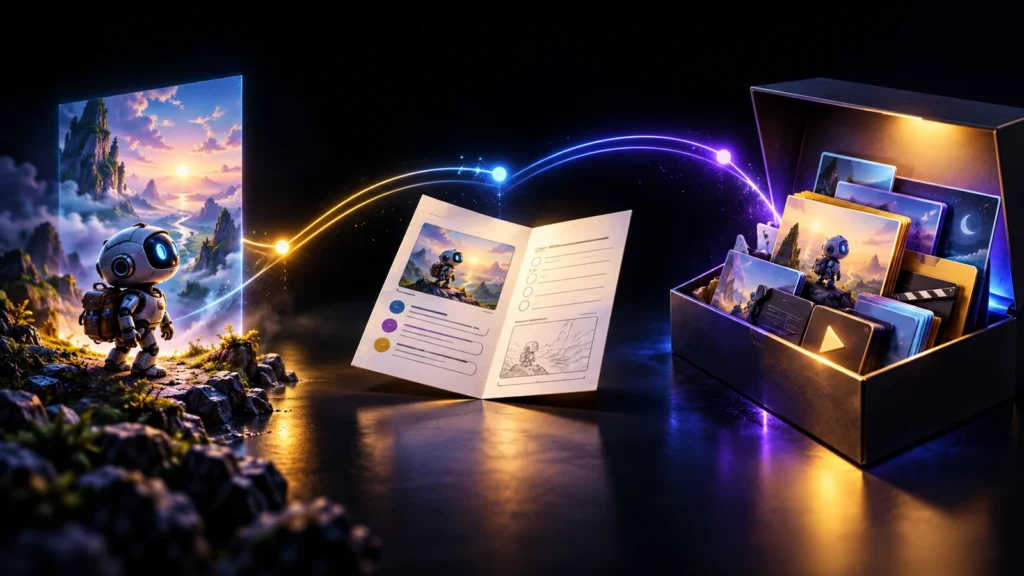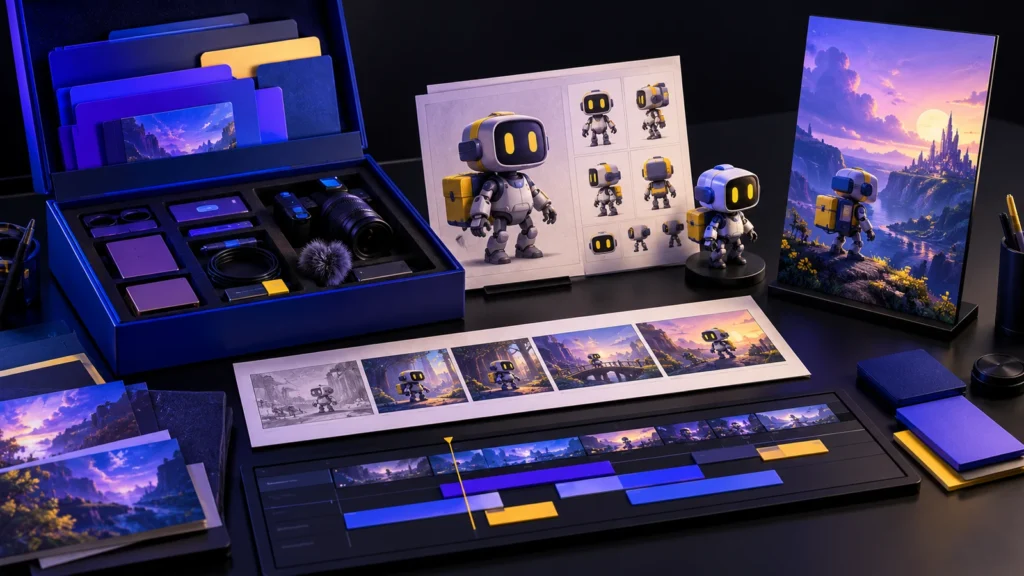
A video kit is not finished when the files are placed in a ZIP. It is finished when an intended buyer can understand what they received, open the right files, make the promised changes and produce the expected output without depending on knowledge that exists only in the creator’s head.
This guide walks through a practical packaging process for an original short-story video kit. We will distinguish product types, design a manageable first release, organise the files, document external requirements and test the handoff. The example is a product-development blueprint, not a claim that a paid Craftomorrow video kit is already available.
Choose which kind of kit you are building
A finished-video collection gives buyers media they can use under stated permissions. An editable-template kit gives them a project they can modify in supported software. A production kit gives them references, storyboards, settings and inputs for creating new outputs. A learning guide explains a method. One product can combine these, but the sales page should identify each part.
| Type | Buyer receives | What still needs doing |
|---|---|---|
| Finished-video collection | Completed media files | Select, adapt and publish within permissions |
| Editable-template kit | Source project and bundled assets | Open supported software and customise |
| Production kit | References, shot plans and documented inputs | Generate or create remaining footage |
| Learning guide | Instruction and examples | Apply the method and produce the assets |
If the headline promises “ready-to-use Reels,” a folder containing only prompts does not meet that expectation. If the product is a production kit, say so plainly and explain the tools and work still required. Clear positioning helps the right buyer choose it and reduces avoidable support questions.

Read the diagram as text
- Finished videos
- Editable templates
- Production inputs
- Learning guide
Define one buyer and one useful job
A kit for a new storyteller needs different instructions from a kit for an experienced motion designer. Choose the intended buyer’s starting point: available software, technical confidence and the kind of output they want. Do not make “everyone who wants to earn online” the only audience definition.
For our example, the buyer wants to create short original character stories and can use the listed generation and editing tools. The kit’s job is to provide a documented starting system: character references, storyboard structure, editable scene elements and complete examples. It does not promise automatic views or income.
Write a practical success condition: “The buyer can open the sample project, change its title and assemble a documented short sequence.” That is something you can test. A vague condition such as “the buyer becomes successful with AI” is not a useful product requirement.
Scope a first release that can be finished well
A focused first release might contain three complete original examples, one reusable character system, a small set of editable scene layouts and a clear production workbook. The exact quantity should follow the quality you can actually support, not a desire to advertise hundreds of files.
List every promised item and its acceptance test. A finished video needs correct playback, intended dimensions and checked audio. An editable project needs a clean-folder test and documented dependencies. A character reference needs consistency and a clear explanation of how it is used. A worksheet needs fields that help a real decision.
Remove items that add volume without usefulness. Ten nearly identical colour variants may be less valuable than one properly documented alternate aspect ratio. A buyer should be able to explain why each file exists. Quantity can support value, but it cannot replace a coherent product.

Read the diagram as text
- One buyer
- One useful job
- Complete example
- Working handoff
- Then expand
Build an inventory before designing the mockups
Create a delivery inventory with filename, purpose, format, source, permissions, external requirements and test result. This becomes the source of truth for the sales page and documentation. It prevents an attractive mockup from quietly promising files that are not in the package.
For the example, the inventory might include three finished portrait clips, editable caption files, original character references, six scene plans and a project-opening guide. If landscape exports are not included, do not place a landscape preview in the mockup without explaining its status.
Use actual previews from the deliverables. Illustrations can show the structure of the kit, but they should be identified as illustrations when that distinction matters. Do not fabricate application screenshots, customer testimonials or earnings dashboards to make a new product look established.
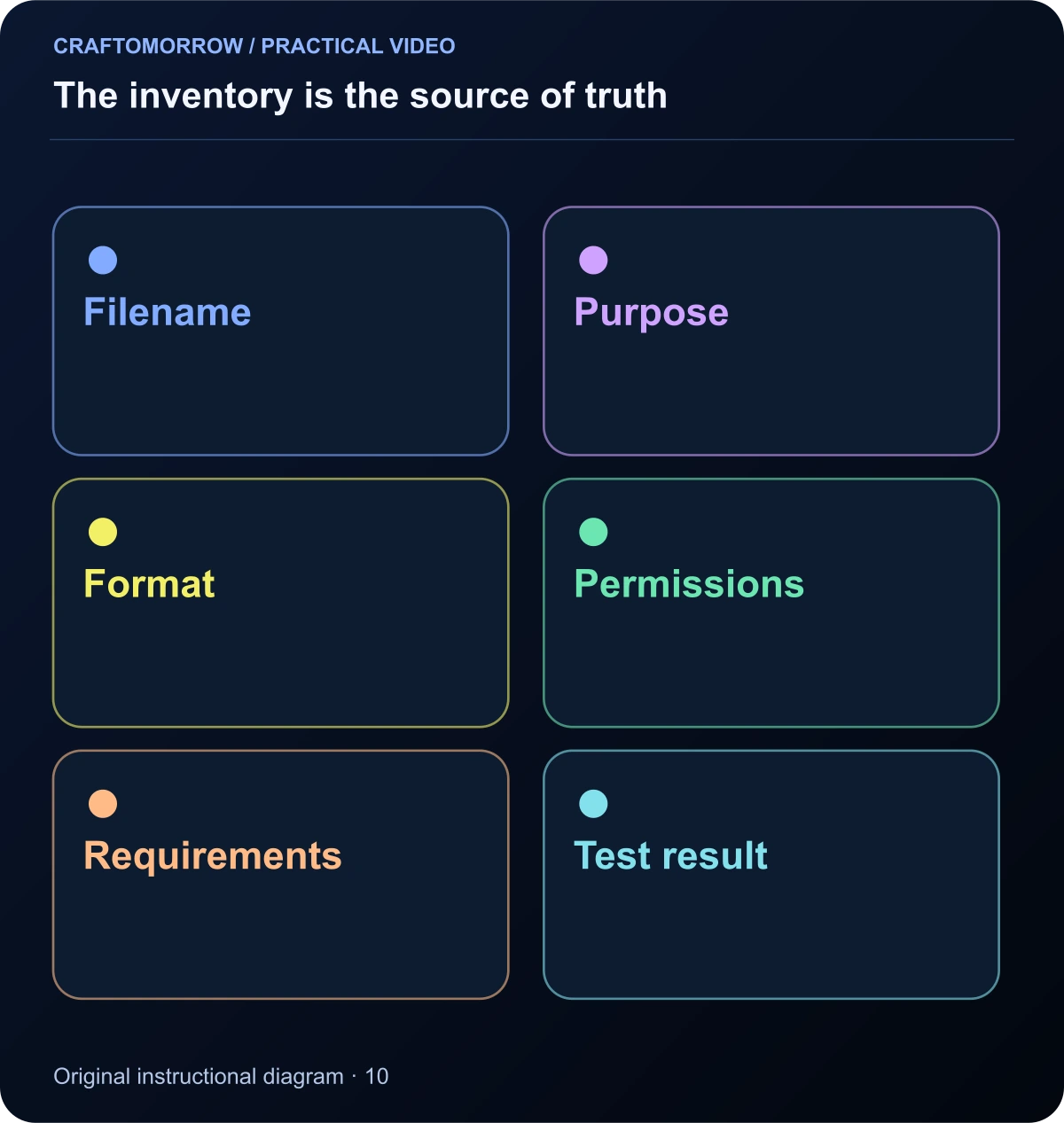
Read the diagram as text
- Filename
- Purpose
- Format
- Permissions
- Requirements
- Test result
Organise folders around the buyer’s first actions
Put the starting instructions at the top level and make the order obvious. A buyer should not have to open every folder to discover which software is needed. Keep finished media separate from editable source files and from inputs that still require generation.
A practical structure is START-HERE, previews, finished-videos, editable-project, references, worksheets and permissions. The names can vary, but the distinction should not. Keep filenames descriptive and stable, including a version when a file changes.
Avoid personal paths, hidden credentials, customer data and unrelated drafts. Before packaging, inspect the contents from a clean copy. A ZIP can accidentally include cache files, private notes or large intermediate renders that make the product confusing or unsafe to share. Include only what the buyer needs and what you are authorised to distribute.

Read the diagram as text
- START-HERE
- previews/
- finished-videos/
- editable-project/
- references/
- permissions/
Document compatibility before the first purchase
State the required software, tested version, operating-system assumptions and external services. If the project requires a command-line renderer, explain that requirement before checkout. If it opens in a particular editing application, specify whether other applications have actually been tested.
Distinguish “editable text” from “fully editable footage.” A buyer can change a title layer without being able to change a character’s performance inside a flattened clip. Say which elements can be replaced, which can be recoloured and which are fixed.
For code-based video, Remotion’s parameterized-video documentation shows how structured inputs can drive a composition. Your product still needs to expose and test those inputs. A technical capability in a framework is not evidence that your delivered template handles every possible headline or image correctly.
Write a short path to the first useful result
The starting guide should help the buyer do one small thing successfully. For an editable template, that could be opening the project, changing the headline, replacing a sample image and producing a short export. Use the actual supplied files in the instructions.
Include expected results after important steps. “You should now see the title in the preview” is more helpful than an unexplained list of clicks. Add a troubleshooting note where failure is likely, such as a missing font or unsupported runtime. Do not make the buyer search a long manual for the first action.
Separate optional advanced work from the quick start. A beginner should not need to understand every internal component to change the promised fields. Experienced buyers can use a deeper reference guide. Good documentation supports both without pretending the product has no learning curve.
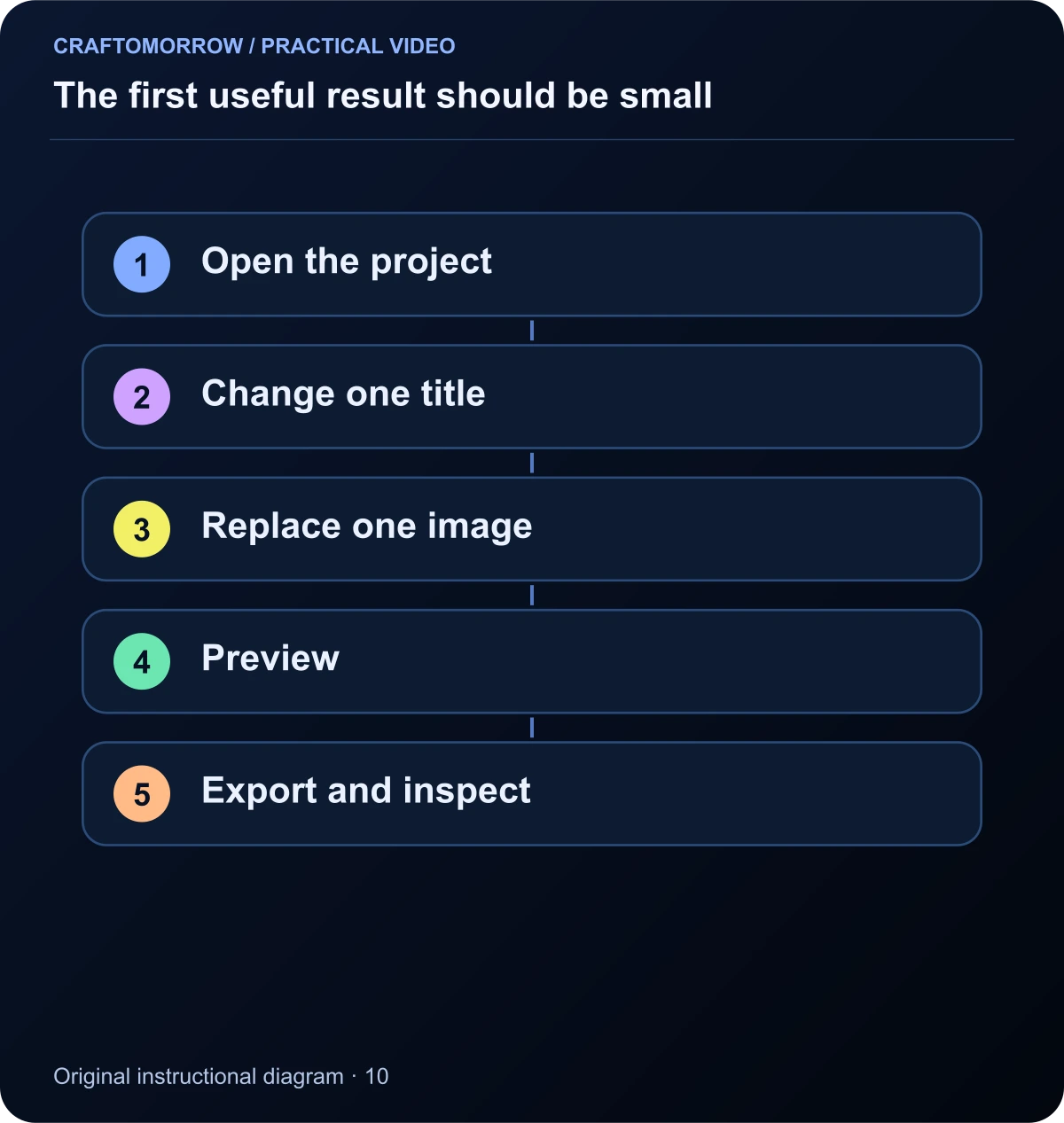
Read the diagram as text
- Open the project
- Change one title
- Replace one image
- Preview
- Export and inspect
Keep asset permissions and dependencies explicit
For each image, recording, font, music track and effect, record where it came from and what the relevant terms permit. Permission to use an asset in your own finished video is not automatically permission to redistribute the raw asset to buyers. Subscription libraries and generated-media services can have different conditions.
For Creative Commons material, the particular licence matters. Creative Commons’ FAQ explains the roles of conditions such as attribution, noncommercial use and sharing adaptations. That source is useful background, not a substitute for reviewing the actual asset licence and your intended distribution.
When a dependency cannot be bundled, provide a clear replacement step and an accurate preview of what works without it. Do not hide a missing music track behind a broken project. If rights are unclear, choose original or appropriately authorised material and seek suitable advice for the specific use.
Test the kit like a buyer, not like its creator
Copy the final package into a new folder and follow only the written instructions. Do not fix a missing file from memory while pretending the test passed. The purpose is to reveal the assumptions that are invisible on your working machine.
Run realistic variations. Try a longer title, a different image shape, the alternate aspect ratio and a new output location. Check whether the project still opens after the original working folder is unavailable. Inspect the exported media rather than relying only on the preview.
If possible, ask a person who matches the intended skill level to perform the first task without coaching. Record where they hesitate, what they misunderstand and what fails. Their confusion may point to a documentation problem rather than a software bug. Fix the package and repeat the relevant test.
Create a release checklist and version record
A release checklist turns “I think it is ready” into a set of verifiable conditions. Check every promised file, every download, the quick-start path, captions, audio, licences, file sizes and compatibility statements. Record the release version so support can identify which package a buyer has.
| Area | Pass condition |
|---|---|
| Inventory | Every advertised item is present |
| Media | Finished files play with intended dimensions and sound |
| Editing | Promised controls work with documented inputs |
| Instructions | First-use task succeeds from a clean folder |
| Permissions | Included assets and dependencies have recorded terms |
| Privacy | No credentials, personal data or unrelated files |
| Delivery | ZIP downloads, extracts and matches the release record |
Keep a short change log. Explain whether an update fixes a file, adds a capability or changes compatibility. If you replace a source asset, check the examples and documentation that refer to it. Versioning is useful because a digital product can evolve without leaving buyers unsure which instructions apply.
Make the sales page an accurate map of the package
Show the actual output, a file preview, supported software, editable controls, required services and known limits. Explain the difference between a finished example and an input for making more videos. The preview should make it easier to decide whether the kit fits, not hide the work behind a cinematic montage.
Describe the practical use instead of promising a financial result. “Plan and assemble short character stories using the included references and project” is specific. “Earn a guaranteed amount from viral videos” is not something the files themselves can substantiate.
State the support route and applicable purchase policies clearly. Do not copy another seller’s refund wording without checking whether it fits your product and obligations. The offer should remain understandable when the buyer reads it without watching the promotional video.
Plan support before a large launch
List the questions a buyer is likely to ask: which file to open, which version is supported, why an asset is missing, how to replace the example, or whether a specific use is permitted. Answer the common ones in the package and keep a clear route for unresolved problems.
Define what support covers. Helping a buyer open a documented project is different from producing an entirely new custom film. If custom work is available separately, explain that distinction without making the original kit deliberately incomplete.
Use support questions as product evidence. Repeated confusion about the same step suggests an instruction or interface problem. Repeated requests for a capability may suggest a useful future version, but do not advertise that capability as available until it is built and tested.
Write the manifest as if support will need it tomorrow
A release manifest is a compact list of what the buyer should receive. Include the release version, filenames, purpose, format, required software and whether each item is finished media or an input. This makes the package inspectable and gives support a clear way to identify missing or outdated files.
For the worked kit, a manifest might list a portrait demonstration clip, an editable caption file, a character-reference folder, a storyboard worksheet and the opening instructions. If a soundtrack is excluded because it cannot be redistributed, say so beside the affected project. Do not leave the buyer to infer the reason from a missing-file error.
Keep the manifest consistent with the sales page. A project update that removes an old file should also update the inventory and instructions. If a preview uses an optional external asset, label that dependency. The manifest is not administrative decoration; it is the bridge between the promise and the delivered package.
You can also record file sizes or checksums when appropriate, but do not make the buyer perform technical verification just to understand the product. Start with readable names and a useful explanation. More technical integrity checks can support the package without replacing ordinary usability.
Use a buyer acceptance task before release
Give the tester a specific task: open the kit, identify the starting file, change the example title, replace an allowed asset and produce the documented output. Ask them to narrate where they are uncertain, but avoid coaching them through the steps. Your intervention can conceal the problem you need to discover.
Record whether the task succeeds, how the instructions were used and which files caused confusion. A failure to identify the right project may be solved by folder naming. A failure to export may require a technical repair. A misunderstanding about included footage may require a change to the product page. These are different defects.
Repeat the relevant test after the repair. Do not assume that adding another paragraph to the manual fixes every problem. Sometimes the interface should expose a clearer control, the package should remove an unnecessary file or the promised scope should become narrower.
For a nontechnical buyer, a working code project may still be the wrong format if it requires tools they do not use. The acceptance test can reveal that mismatch before launch. You may choose another delivery format, provide a simpler version or define a more technically prepared audience.
Save a short test report with the release. It should state what was tested, on which environment, which limitations remain and what the package actually produces. This is stronger evidence for a product claim than an attractive cover image or a long list of theoretical features.
Your practical kit-building assignment
Choose one product type and one buyer. Draft the inventory and first-use success condition before making a sales page. Build the smallest complete package that meets that condition, then test it in a clean folder. This sequence keeps presentation tied to a real deliverable.
- Name exactly what is finished, editable or still an input.
- Create a file inventory and compatibility note.
- Provide a short path to the first useful result.
- Check permissions and remove private material.
- Test ordinary buyer changes and final exports.
- Write the sales page from the verified inventory.
For a future AI Story Reel Kit, the strongest starting evidence is one complete original example with its actual files and documented workflow. Expand only after that example meets the quality standard. A small kit that works is a more credible foundation than a large collection whose buyer cannot tell what to do next.

Read the diagram as text
- Inventory check
- Clean-folder test
- Buyer task
- Permissions review
- Verified ZIP
About the visuals: cover artwork is an original AI-assisted conceptual illustration. Instructional diagrams are authored illustrations, not application screenshots, measured benchmarks or proof of customer outcomes. Public creator references are linked for study; their files and workflows are not included in the download.
Was this article useful?
Your feedback helps us improve these guides.