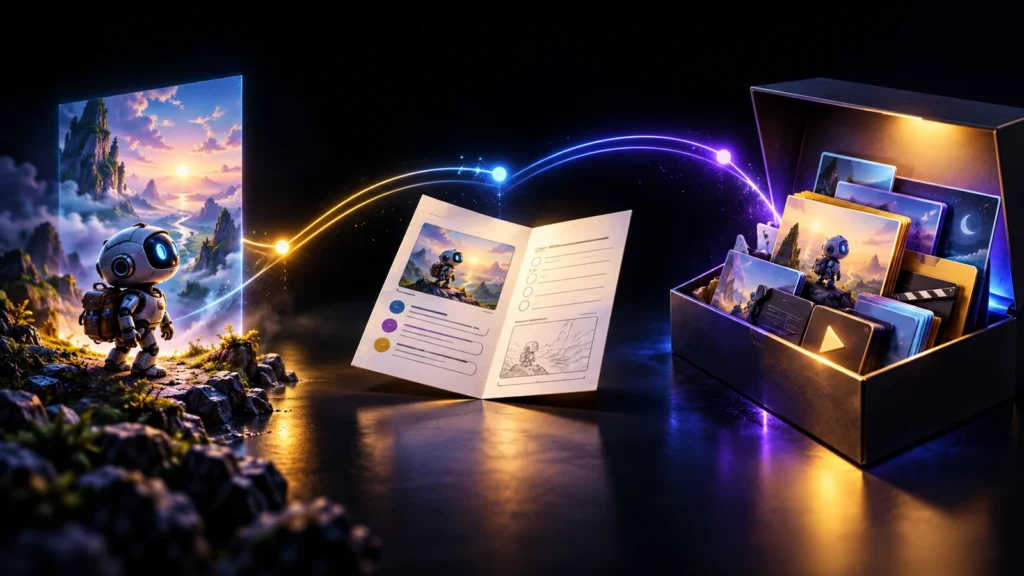
Your first image looks excellent. In the next scene, the character has a different face, a longer coat and an extra accessory. The individual images might be attractive, but together they look like different productions. This is the practical problem of character continuity: the viewer needs to recognise one person or creature while the action, framing and environment change.
The solution is not a longer description pasted into every prompt. You need a stable visual reference, a small set of identity rules and a review process that catches changes before animation. This guide builds that process around an original courier robot named Pip. Pip is a planning example, not a claim that one model can preserve every detail perfectly.
Separate identity from the things that should change
Identity is the collection of features that makes your character recognisable. Scene state is what happens to those features during the story. A blue scarf can be an identity feature; the scarf becoming wet is a scene-state change. Treating both as unchanging makes action difficult. Treating both as optional makes continuity collapse.
For Pip, identity includes a compact copper body, one large warm-yellow eye, a cobalt scarf and a notch on the left antenna. Scene state includes battery level, dirt, the parcel being carried and whether the scarf is wet. Keep the list short enough that you can actually inspect it. Ten distinctive features that frequently disappear are less useful than four you can preserve.
Write down what must not happen: the eye must not become two eyes, the antenna notch must not switch sides, and the body must not become a tall humanoid. These are review criteria, not necessarily text to paste into a particular generator. Some tools prefer positive instructions, so convert the criteria into the tool’s supported prompting style.

Read the diagram as text
- Always: copper body + one eye
- Always: blue scarf + antenna notch
- Changes: wet scarf + low battery
- Changes: parcel position + dirt
Create a reference image that is useful, not merely dramatic
A character portrait in heavy shadow may be beautiful and still be a poor reference. If the face, silhouette or clothing is hidden, the next generation has less clear information to preserve. Start with a view that exposes the features you care about, using simple lighting and a background that does not compete with the subject.
Runway’s reference-media documentation describes using saved references for recurring characters, styles and assets. That establishes a tool capability, not a guarantee of flawless continuity. The production recommendation here is to approve one clear identity image before making a large collection of scene images.
Check the reference at normal viewing size. Can you identify the distinguishing features without zooming? If a character is recognised only through a tiny badge, that badge may be irrelevant in a wide shot. Strengthen the silhouette, colour grouping or shape language instead of adding more fragile detail. Keep the approved source file separate from experimental variations.
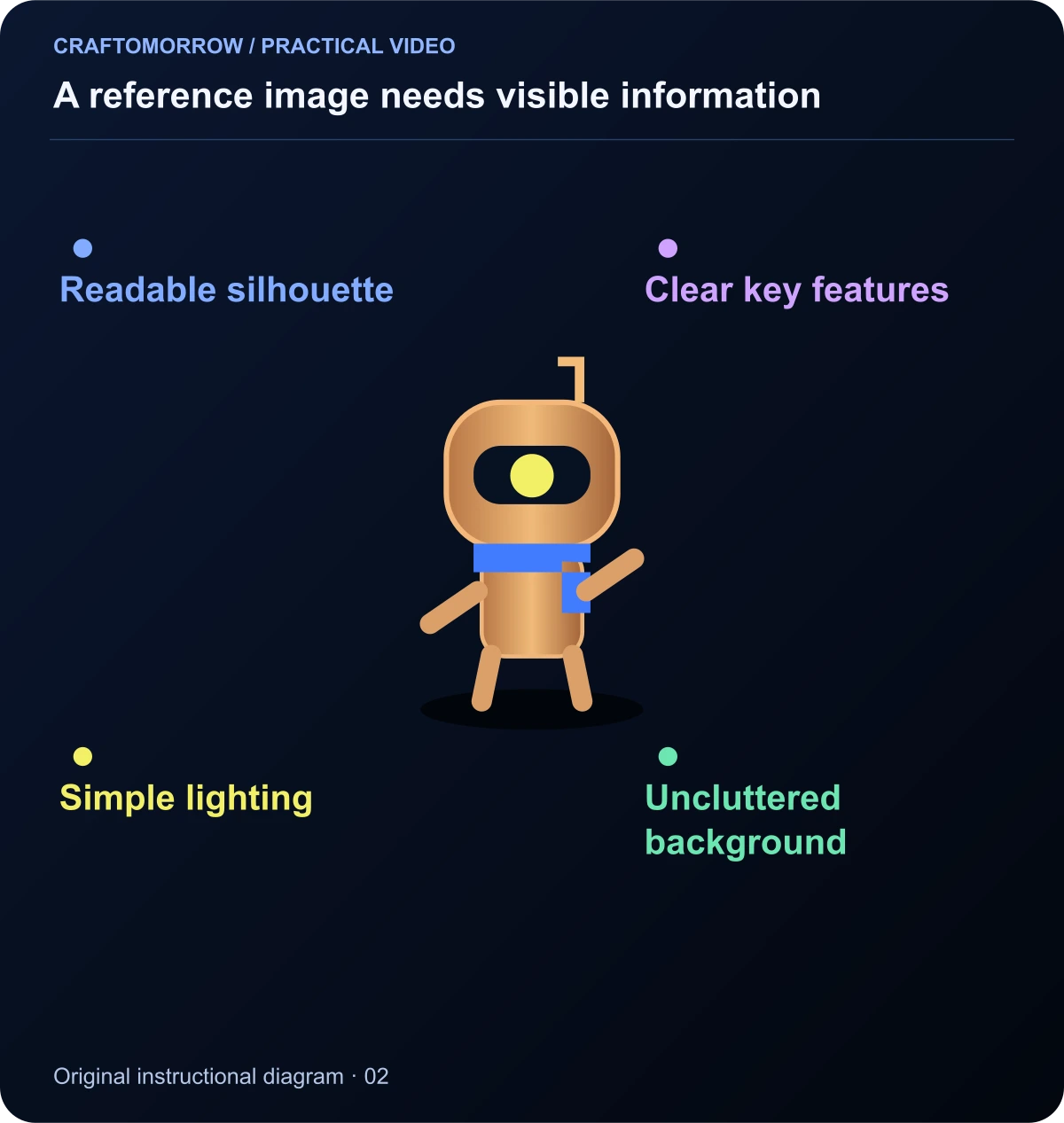
Read the diagram as text
- Readable silhouette
- Clear key features
- Simple lighting
- Uncluttered background
Build a small reference set with a job for every image
Add a front view, a side view and a three-quarter view only when they will help with planned shots. A contact sheet can reveal whether the character makes sense from different angles, but some workflows work better with separately supplied images. Follow the selected tool’s documentation rather than assuming a collage is always understood as one consistent subject.
Include a close-up of an important prop if the story depends on it. Pip’s seed container needs to remain a small transparent capsule, not turn into a paper parcel halfway through the film. A separate prop reference makes that requirement easier to communicate and inspect. Use a neutral expression or resting pose as the baseline, then add expression references as needed.
Name the files clearly: pip_identity_front_v01, pip_identity_side_v01 and seed_capsule_v01. Avoid names such as final_final_new. Once production begins, a changed reference should receive a new version and a note explaining why. Otherwise you can accidentally compare outputs generated from different identity sources.
| Asset | Purpose | Check before approving |
|---|---|---|
| Identity portrait | Face or key features | Clear features, simple lighting |
| Full-body view | Shape and proportions | Limbs, silhouette and clothing |
| Side or three-quarter view | Planned angle changes | Same identity from another angle |
| Prop reference | Story-critical object | Size, material and recognisable detail |
| Expression sheet | Planned emotional beats | Identity survives expression changes |
Write a character bible you can inspect in a minute
A useful character bible is short, visual and operational. It contains the identity reference, the distinguishing traits, relative scale, clothing, important props and a few permitted changes. It should also explain the world: whether the surfaces are clay, metal, paper or photographic, and how realistic movement is expected to be.
For Pip, write “small enough to sit on a kitchen stool” rather than giving a precise height that is never visually communicated. Define copper as the body material and reserve blue for the scarf. If every background object uses the same blue, the scarf becomes a weaker recognition cue. Style and identity support each other when the colour and shape decisions are deliberate.
Add a production note describing the intended camera distances. Wide shots need a readable silhouette; close-ups need consistent details. If your story does not use extreme close-ups, do not spend most of the reference effort on tiny surface scratches. Spend it on the views the audience will actually see.
Create a scene-state ledger before generating the sequence
A scene-state ledger records what is true at the beginning and end of each shot. This avoids a common problem: each shot is plausible in isolation, but the parcel changes hands, a jacket dries immediately or a broken object repairs itself between cuts. These changes may not be identity errors, but they still confuse the story.
For the seed-delivery story, shot one begins with a dry scarf and a full battery. After crossing the rainy alley, the scarf is wet. After climbing the stairs, the battery is low. The capsule stays in the same carrier until it is placed in the greenhouse. You do not need complex software to track this; a simple table is enough.

Read the diagram as text
- Dry scarf / full charge
- Rain / wet scarf
- Stairs / low charge
- Delivery / empty carrier
Record intentional exceptions too. If a costume changes, show the change or establish a clear time jump. The viewer can accept a new outfit when the story gives them a reason. What feels wrong is an unexplained switch that looks accidental.
Change one major variable at a time
An identity test that changes pose, outfit, lighting, location and art style at once is difficult to diagnose. If the output drifts, you cannot tell which change was responsible. Begin with a modest change, such as the same character in the same outfit from a different camera angle. Then test a new setting while preserving the approved identity.
Use a simple experiment log: reference version, prompt variation, changed variable, result and decision. Keep rejected results with short reasons. “Wrong antenna side” is useful. “Bad” is not. When a later shot develops the same problem, you can see whether a previous adjustment helped.
This is a production-control method, not a claim about an ideal number of generations. Different characters, models and shots require different amounts of iteration. Set your own attempt limit so that testing does not become an endless search for a perfect image that the story does not need.
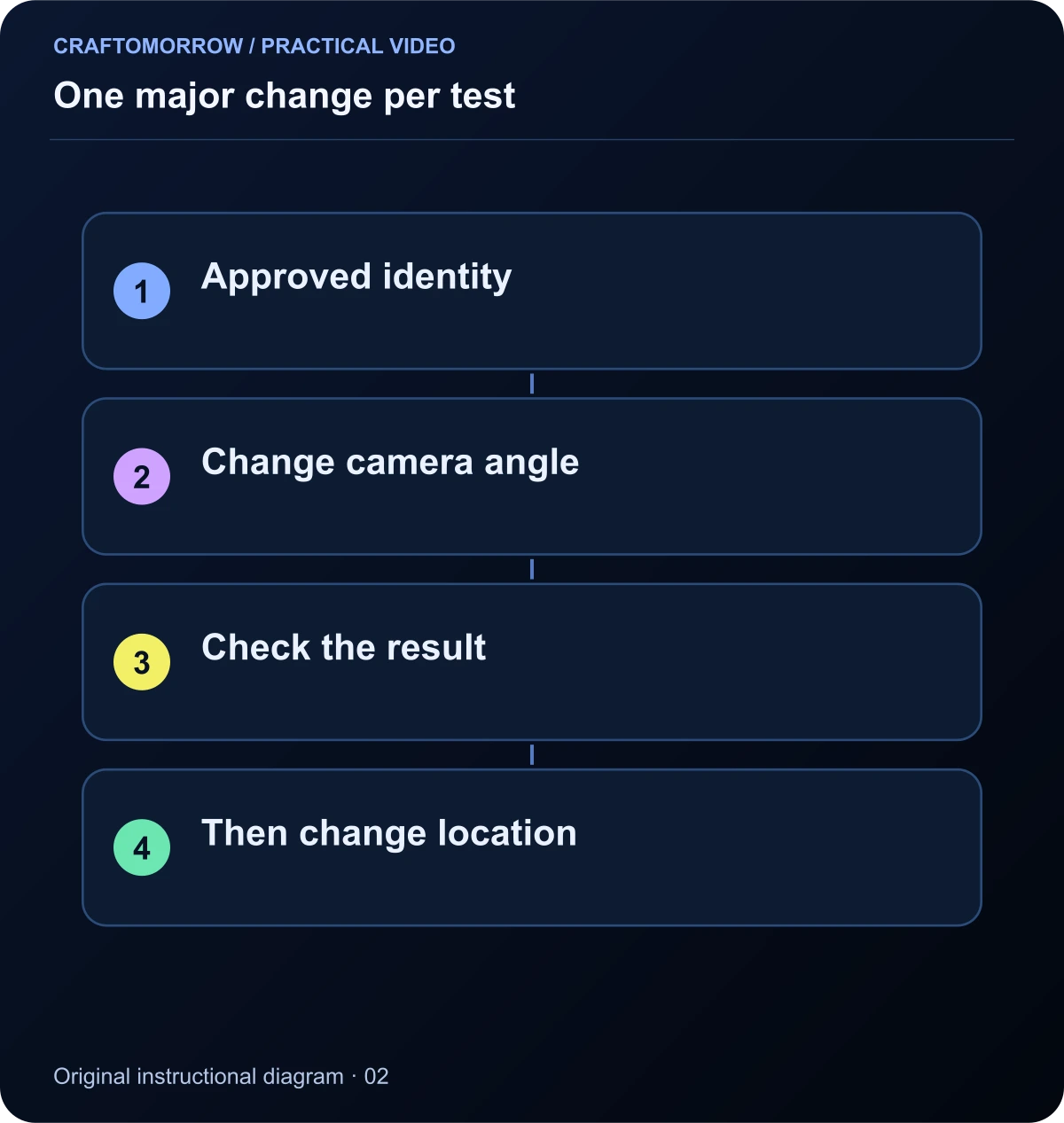
Read the diagram as text
- Approved identity
- Change camera angle
- Check the result
- Then change location
Approve still frames before you animate them
Animation adds a new category of failure: a character can begin correctly and drift during movement. If the starting image is already wrong, you are asking the video stage to preserve an error. Review the still first for identity, body structure, prop placement and composition. Reject it before animation if the important features are incorrect.
Make a contact sheet of the approved first frames in story order. Look for unintended differences in body proportions, colour, material, clothing and scale. A discrepancy can become obvious when images are adjacent even if you missed it while viewing each one full-screen.
Do not demand identical framing across all shots. Continuity supports a story; it should not make every shot look like a passport photograph. You can change shot size and angle while preserving the identity information relevant to that view. A clear silhouette may be enough in a distant shot, while a close-up needs the correct facial structure.
Ask for movement without redesigning the character
For image-to-video, keep the movement instruction focused on the action you need. Runway’s image-to-video guide distinguishes the input image’s visual role from the prompt’s role in describing motion. Apply that idea carefully: do not unnecessarily rewrite the entire character description when the approved image already establishes it.
A suitable planning instruction for Pip might be: “The small robot takes two careful steps forward, holding the capsule steady. Locked camera.” That is easier to evaluate than a sentence asking for running, jumping, a spinning camera and a dramatic transformation at the same time. Check the tool’s own syntax and supported controls before using an instruction.
Review the clip at the start, middle and end, then inspect any interaction frame by frame. Important moments include turning, occlusion, contact with props and exits from the frame. A character that changes after passing behind an object can be difficult to notice at normal playback speed.

Read the diagram as text
- Start: identity correct?
- Middle: contact and motion?
- End: same character?
- Cut: state still consistent?
Diagnose drift by its cause
When identity changes, decide whether the reference is unclear, the requested action is too complex, the camera hides the important features, or the generation tool is struggling with the particular subject. These causes suggest different interventions. Adding more descriptive adjectives is not a universal fix.
| Symptom | Inspect first | A practical next test |
|---|---|---|
| Face changes between shots | Identity reference and camera angle | Simpler angle with the approved portrait |
| Clothing colour changes | Lighting and competing colours | Neutral light with clearer colour separation |
| Prop changes shape | Prop visibility and interaction | Separate prop reference and simpler handling |
| Character changes during motion | Turning, occlusion or complex action | Shorter action and reduced camera movement |
| Wrong scale in a new location | Environmental size cues | Add a familiar object for comparison |
If a shot repeatedly fails, redesign the shot before abandoning the whole story. An insert of the capsule arriving can communicate delivery without a complex handoff. A reaction shot can replace a difficult full-body turn. Editing offers solutions that prompting alone may not provide.
Preserve continuity in the edit
The edit can either reveal or conceal small differences. Avoid cutting directly between two near-identical framings with visibly different proportions. A purposeful cut to a wider view, a prop insert or a reaction may make the transition more natural. This is not a licence to hide a fundamentally wrong character; it is a way to build a readable sequence from approved material.
Match the action across the cut. If Pip begins moving screen-right, the next shot should not suggest a reverse journey unless you establish the change in direction. Keep the capsule’s location understandable. A viewer should not have to mentally reconstruct a missing action simply because two generations were convenient to produce.
Use colour adjustment to bring approved shots into the same world, but do not rely on grading to repair an incorrect costume or identity. Label the source clips and keep the original versions. A later revision should not require guessing which file supplied a particular moment.
A five-shot continuity exercise
Use the companion worksheet to plan five shots: identity introduction, location change, prop interaction, emotional reaction and resolution. Keep the costume constant and allow one state change, such as the scarf becoming wet. You can complete the planning exercise without buying a new tool or claiming a finished video.
- Mark four identity features on the reference sheet.
- Record each shot’s start and end state.
- Approve a contact sheet before animation.
- Check start, middle and end frames after animation.
- Watch the final sequence with sound off and identify any confusing change.
Ask a reviewer to describe which details make the character recognisable. If they mention different details from your identity list, reconsider which features are actually carrying recognition. The test is whether the story remains understandable, not whether every decorative element survives every frame.
Resolve conflicting references before they become expensive
Several beautiful reference images can describe several different characters. If one view has short limbs, another has a long torso and a third changes the facial structure, supplying all three does not create a stronger identity. It creates a conflicting brief. Review the reference set itself before blaming the generation stage.
Choose an authority order. The approved identity portrait can control facial features, the full-body view can control proportions and the prop reference can control the capsule. Record that division in the production notes. Where the images disagree, correct the set or remove the weaker reference. Do not expect the next tool to guess which version you meant.
Check the reference set in greyscale as well as colour. This can reveal whether recognition depends entirely on a colour cue or also survives through shape. You do not need every scene to be monochrome; this is a design inspection. If the silhouette becomes unrecognisable without the blue scarf, consider strengthening the head shape or body proportions.
Also separate lighting references from identity references. A dramatic blue-lit image may describe the desired scene treatment without being the best source for the character’s actual material colour. Label the job of each reference clearly so that a later collaborator does not treat every image as an equal specification.
Run a continuity handoff test
Give another person the character bible and a proposed new scene. Ask them to identify the features they must preserve and the details they are allowed to change. If they cannot answer without your explanation, the system is not yet documented clearly enough to reuse.
Then ask them to inspect a contact sheet and mark intentional changes separately from errors. A wet scarf after rain should be accepted; a second eye appearing unexpectedly should not. This simple review tests whether your rules are operational. Save the corrected rules with the reference version so the next episode begins with a clearer brief.
Questions that come up in production
Will a fixed seed solve continuity? Do not assume so. A seed can have a tool-specific role, and its meaning may change across models or settings. Record it when available, but use visual references and review rather than treating one number as an identity guarantee.
Should I use a celebrity as the reference? For this exercise, create an original character. That keeps the production focused on design and continuity instead of likeness, endorsement or reuse questions. A distinctive fictional character can support a series without depending on someone else’s identity.
Can one character support several art styles? It can be an interesting design exercise, but each new style introduces another continuity challenge. For a first story, lock the medium and lighting approach. Explore style variations separately, then choose one coherent production direction.
What should I save for a future kit? Keep the approved references, identity rules, scene ledger, selected clips and specific troubleshooting notes. A buyer benefits from decisions they can inspect and adapt, not just a folder of attractive images with no explanation.
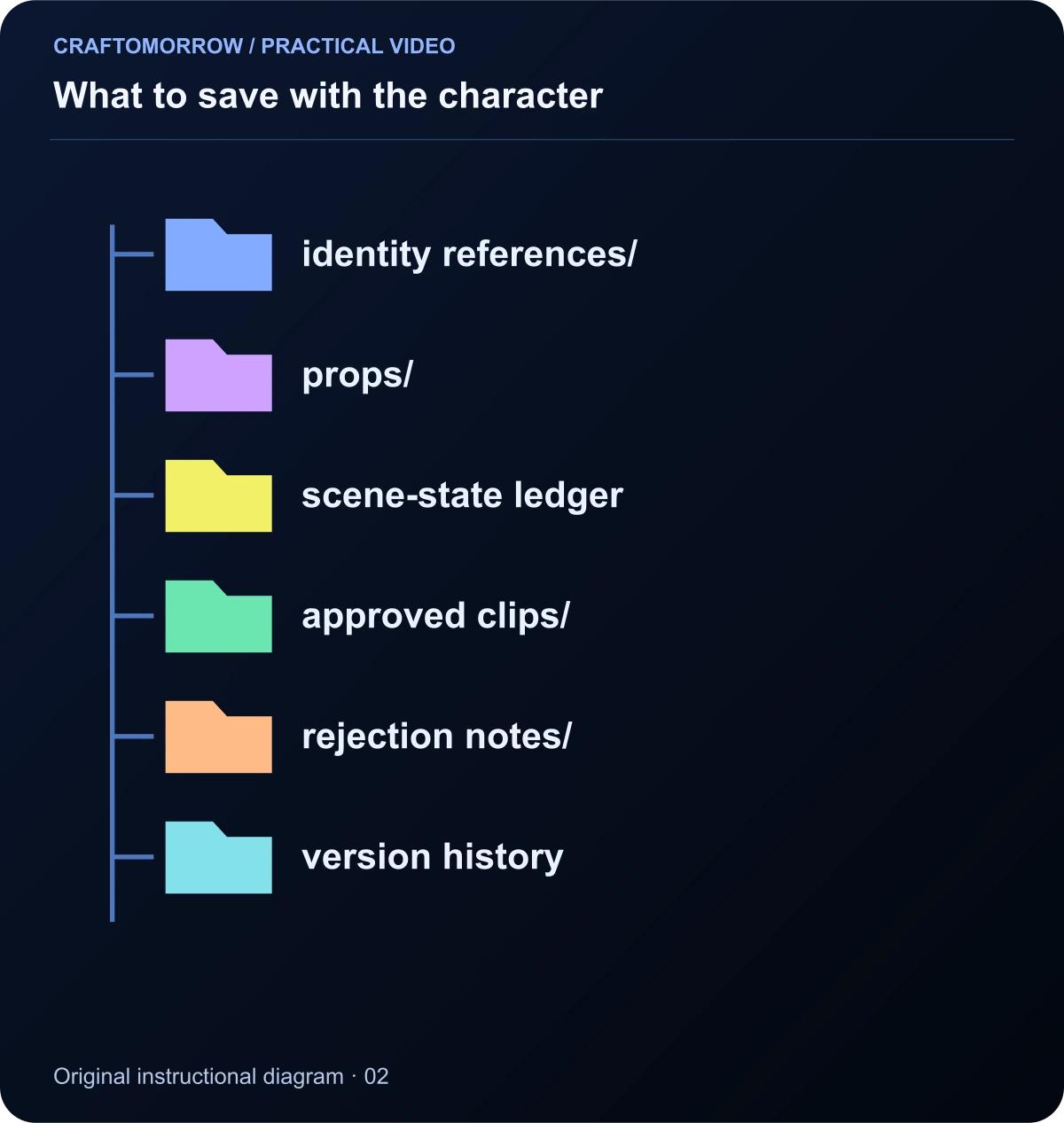
Read the diagram as text
- identity references/
- props/
- scene-state ledger
- approved clips/
- rejection notes/
- version history
About the visuals: cover artwork is an original AI-assisted conceptual illustration. Instructional diagrams are authored illustrations, not application screenshots, measured benchmarks or proof of customer outcomes. Public creator references are linked for study; their files and workflows are not included in the download.
Was this article useful?
Your feedback helps us improve these guides.