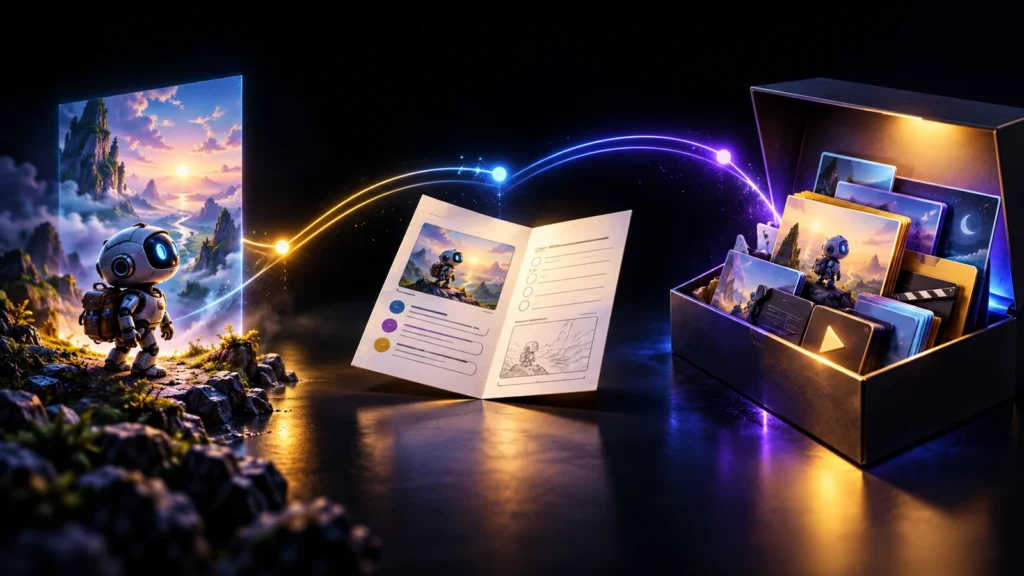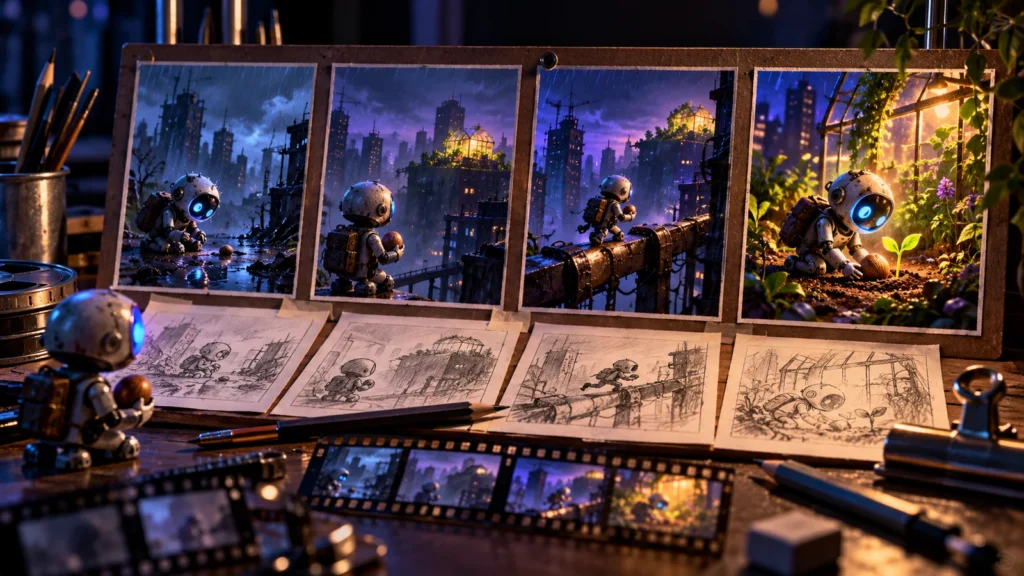
A folder of impressive clips is not yet a story. You can have a dramatic city, an expressive character and a beautiful ending, but if the audience cannot understand how one moment causes the next, the edit will feel like a collection of unrelated images. Planning the sequence solves a different problem from choosing a video model.
In this guide, we will develop an original thirty-second story: a small courier robot must deliver the last seed to a rooftop greenhouse after the lift breaks. You will create a logline, timed beats, rough storyboard, shot list and fallback plan. The example is a production blueprint, not a claim that a finished cinematic film has already been rendered.
Choose one change the audience can understand
A short story needs a meaningful change, not a complete fictional history. Our robot begins with a straightforward delivery and ends by choosing effort over an easy route. The greenhouse receives the seed because the robot acts. That cause-and-effect relationship gives the sequence a spine.
Write a logline containing a protagonist, a goal and an obstacle: “When a rooftop lift fails, a nearly discharged courier robot carries the last seed up the stairs.” This is more useful than “a cinematic futuristic robot adventure.” It tells you what belongs in the film and what can be removed.
Now define the final image. In our example, the capsule rests in the greenhouse and the robot’s battery light is almost out. The ending does not need to show an entire tree growing instantly. A caretaker gently connecting a charger could add a warm final beat without creating another complex visual transformation. Choose the ending before decorating the opening.
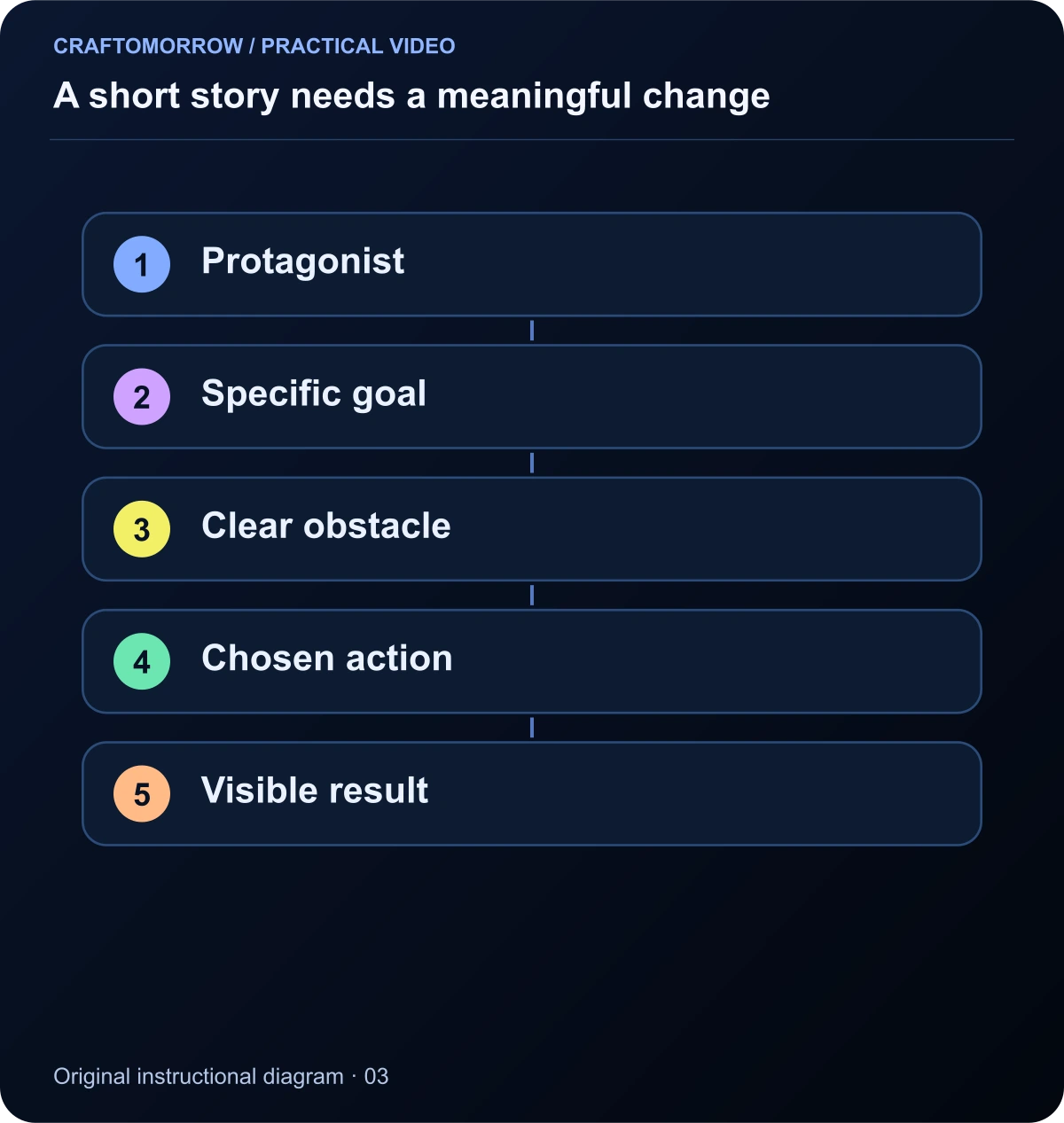
Read the diagram as text
- Protagonist
- Specific goal
- Clear obstacle
- Chosen action
- Visible result
Write the story in visible actions
Words such as “determined,” “hopeful” and “lonely” describe interpretations. A camera needs something observable. Replace “the robot feels determined” with “the robot looks at the seed, then takes the first stair.” That action gives the audience a basis for the emotion.
Make a two-column draft. In the left column, write what appears on screen. In the right, write essential sound or dialogue. If narration repeats everything visible, remove some of it. A battery warning sound can communicate urgency without a voice explaining that the battery is low.
Keep technical directions out of the first story pass. You need to know that the lift is broken before deciding whether to show its display in a close-up or a wider composition. Once the visible actions work, camera choices can strengthen them. This order prevents an impressive camera move from becoming the reason a weak scene stays in the script.
Divide thirty seconds into dramatic beats
Thirty seconds is a production constraint, not a universal ideal duration. Allocate time according to what the viewer needs to understand. Our worked timing gives three seconds to the delivery setup, four to the broken lift, five to the decision, eight to the climb, six to the arrival and four to the final gesture.
| Time | Visible event | What the audience learns |
|---|---|---|
| 0–3 s | Robot holds a seed capsule below a rooftop sign | The delivery has a destination |
| 3–7 s | Lift display is dark; doors do not open | The normal route is unavailable |
| 7–12 s | Robot sees the stairs and looks at its battery | A difficult choice is required |
| 12–20 s | Two short stair-climbing shots | The robot acts despite the cost |
| 20–26 s | Capsule reaches the greenhouse table | The delivery succeeds |
| 26–30 s | Caretaker offers a charger | The effort receives a quiet response |
These timings are design choices for the exercise, not measured retention advice. Read them aloud and use rough frames to check whether each event has room to register. If the obstacle needs ten seconds of explanation, simplify it rather than making the edit unreadably fast.
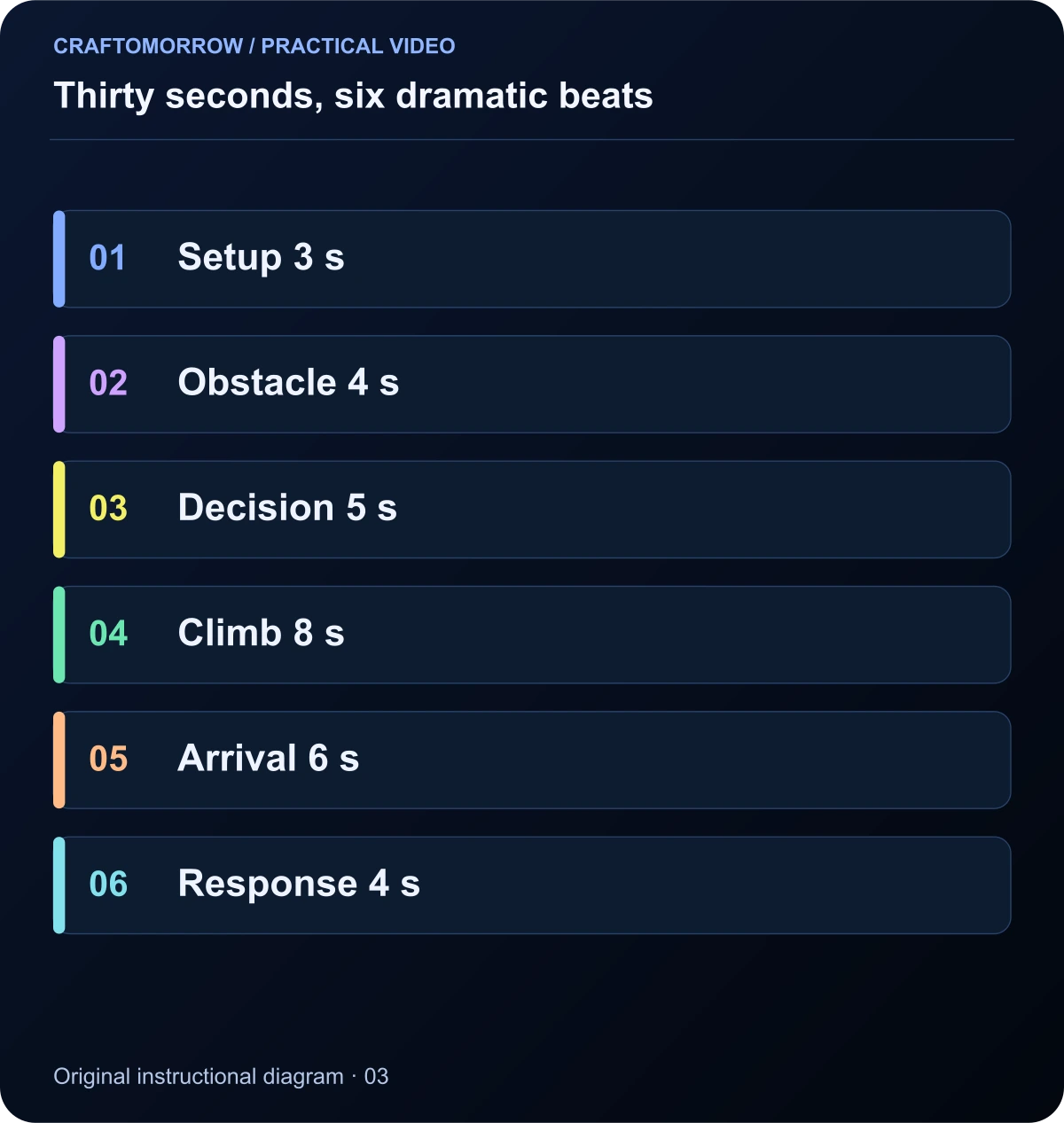
Read the diagram as text
- Setup 3 s
- Obstacle 4 s
- Decision 5 s
- Climb 8 s
- Arrival 6 s
- Response 4 s
Storyboard the information, not your drawing ability
A storyboard can use boxes, arrows and simple shapes. Its value is the information it preserves: where the character is, what changes, how the shot is framed and how it relates to the next shot. Adobe’s storyboarding introduction provides background on this pre-production role. You do not need polished illustration to test a sequence.
Draw each panel in the intended aspect ratio. If the final piece is vertical, a wide sketch may hide a composition problem. Put the seed and the robot’s eye where a phone viewer can recognise them. Leave room for any essential caption, but do not assume every social platform places controls in the same position.
Under each panel, record one sentence: “This shot exists so the viewer understands…” If the answer is only “the city looks beautiful,” decide whether the setting is important enough to justify the time. A brief establishing view can orient the audience; three decorative city shots may delay the actual story.
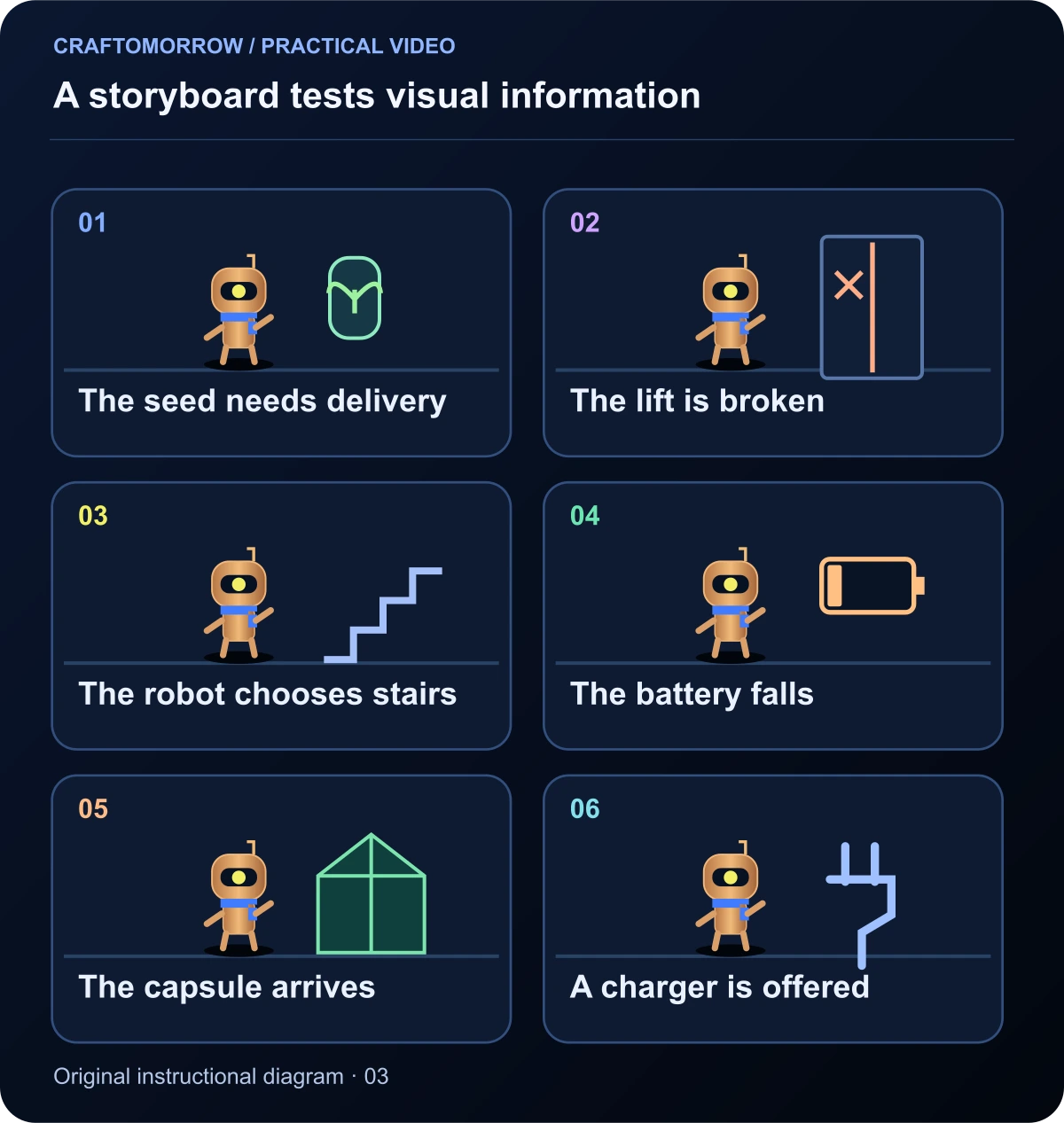
Read the diagram as text
- The seed needs delivery
- The lift is broken
- The robot chooses stairs
- The battery falls
- The capsule arrives
- A charger is offered
Choose shot sizes for a reason
Use a wide shot to establish relationships, a medium shot to show an action and a close-up to direct attention to important detail. These are flexible storytelling choices, not fixed rules. In the courier story, the dark lift display is an economical close-up because it explains the obstacle quickly.
The decision shot can show the robot, stairs and battery indicator in a readable arrangement. You do not necessarily need all three in one frame. An eyeline followed by an insert can establish the relationship. The audience connects the information through sequence.
Avoid changing camera position simply because the tool offers a dramatic preset. A circling camera during a delicate prop handoff may increase complexity while making the action harder to follow. Choose the simplest view that communicates the beat, then add movement only if it contributes energy, discovery or emotion.
Convert each panel into a production-ready shot
Give every shot an identifier, such as S01, and keep that identifier across the storyboard, reference image, output clip and edit notes. This small habit prevents confusion when you have several variations of the same scene. Do not rely on generated filenames to tell you where a clip belongs.
Record the subject, action, shot size, camera behaviour, duration, starting state, ending state and required assets. Add a field for “must remain accurate.” For Pip, that includes the single eye, blue scarf and transparent seed capsule. A frame can be attractive and still fail its production purpose.
Separate the desired outcome from the tool-specific instruction. “Show a careful step while protecting the capsule” is the shot’s purpose. The exact prompt depends on the selected workflow. Keeping the purpose in plain language makes the plan portable when a tool changes or a difficult shot needs a different method.
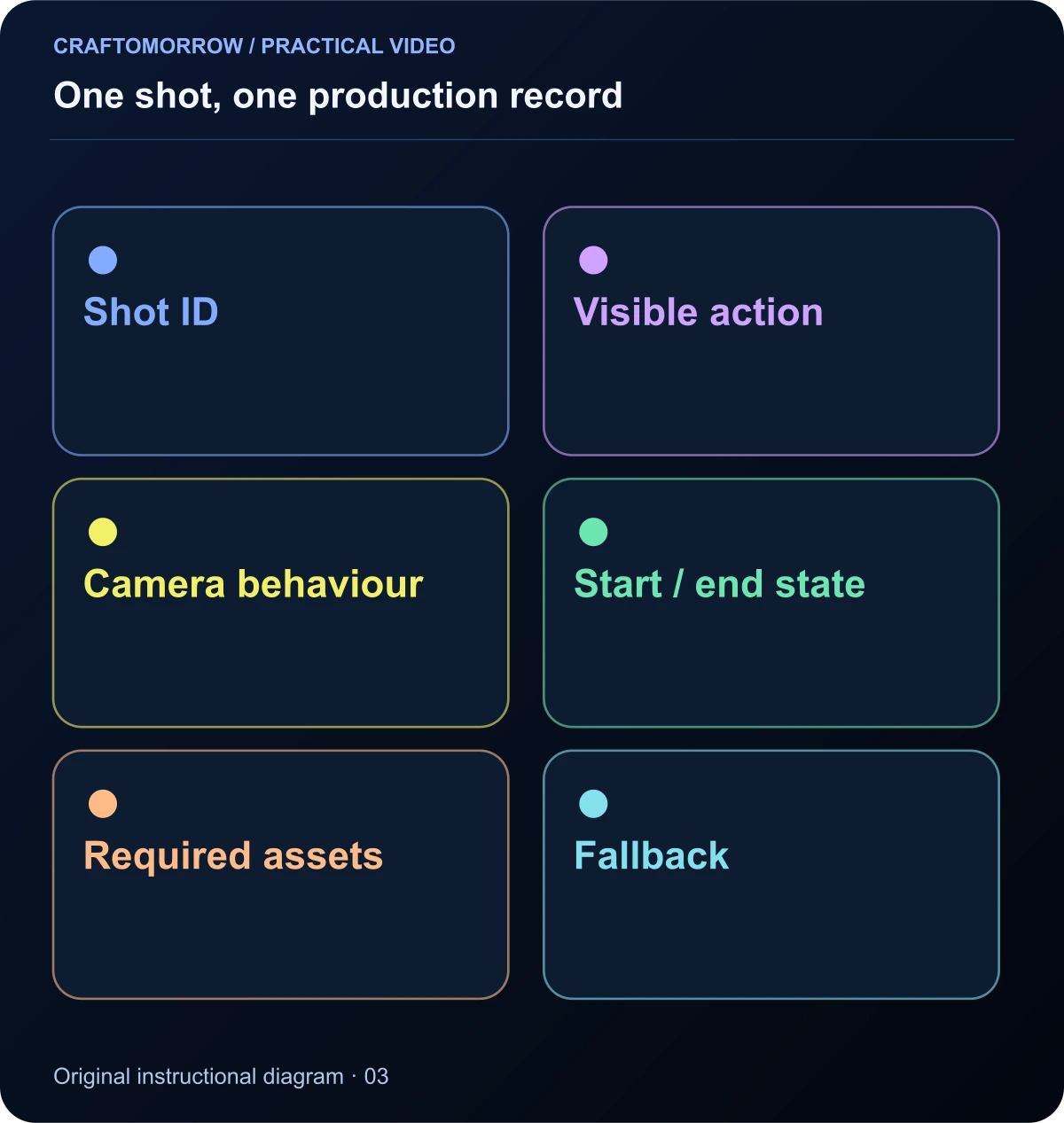
Read the diagram as text
- Shot ID
- Visible action
- Camera behaviour
- Start / end state
- Required assets
- Fallback
Plan stills and motion as separate approvals
First approve the composition and identity in a still. Then plan the smallest useful action. If the still already has a malformed hand, unreadable prop or confusing environment, animating it may amplify the problem. Do not spend video credits hoping motion will hide a structural mistake.
Runway’s image-to-video documentation explains how an input image and a motion instruction play different roles. For our planning exercise, that means the storyboard frame establishes the visual situation while the action note describes what must change over time. The exact controls and model behaviour still need to be checked in the tool you use.
For the stair sequence, two controlled shots may be more practical than one long continuous climb. One shot establishes the ascent; another shows the low battery and final step. You are constructing a story, not proving that a generator can perform the entire event in a single uninterrupted take.
Build a rough animatic before final production
An animatic is a timed sequence of your rough panels, with temporary audio if useful. It lets you test pacing without treating the sketches as final footage. Use the planned durations and watch the complete sequence from beginning to end. Do not stop after every panel to explain what it means.
Listen for moments where narration arrives too early or too late. If a warning sound happens before the battery is visible, it may create an intentional question. If it occurs after the character has already solved the problem, it may feel misplaced. Timing changes the meaning of the same material.
Ask a new viewer to summarise the story in one sentence. If they cannot identify the goal or obstacle, revise the board. If the story is clear but feels slow, shorten holds or combine redundant shots. This is a more precise diagnosis than assuming the visuals need to become more spectacular.
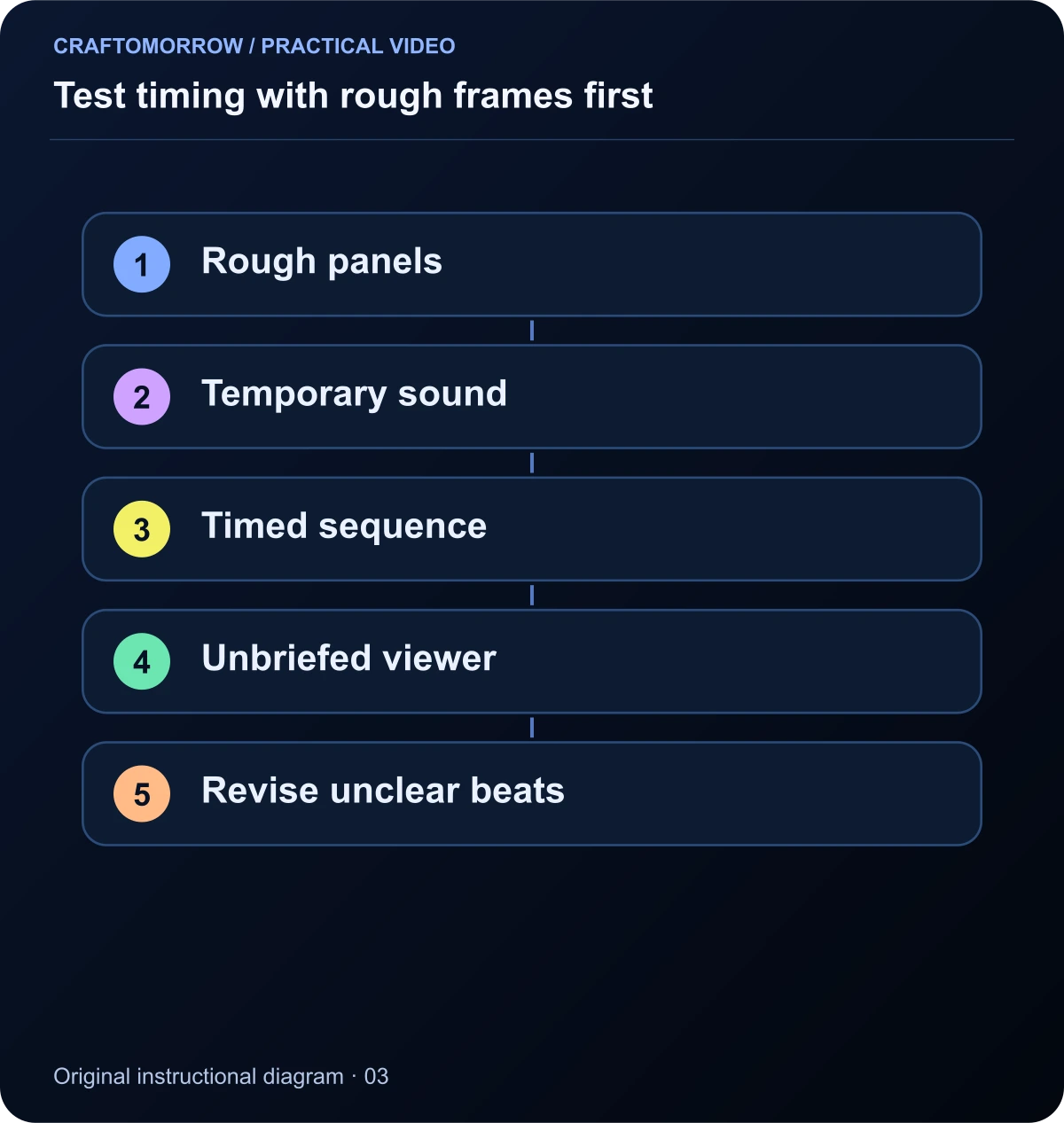
Read the diagram as text
- Rough panels
- Temporary sound
- Timed sequence
- Unbriefed viewer
- Revise unclear beats
Add a sound plan that supports the action
List sound in layers: environment, action effects, voice and music. Our example needs a quiet city ambience, a lift button with no response, small footstep sounds and a battery warning. A final charger connection can provide the closing cue. Each sound has a storytelling job.
Temporary audio can be your own recording or a simple placeholder tone that stays inside the planning project. Before publication, replace temporary material with audio you have permission to use. Keep the licence record with the production files. A music track available inside one service is not automatically something you can redistribute in a kit.
Also watch the animatic without sound. Important actions should remain understandable visually. Sound can deepen meaning and emotion, but it should not be the only way a viewer can discover the basic premise. If dialogue is essential, plan accurate captions rather than decorative text fragments.
Prepare a fallback for the difficult shots
Mark each shot as straightforward, uncertain or technically demanding. This is your own planning assessment, not a universal rating of a tool. Complex contact, rapid turns, several interacting characters and long continuous actions deserve a fallback because they combine multiple requirements.
| Difficult shot | Simpler alternative | Information preserved |
|---|---|---|
| Continuous stair climb | Two short views plus a footstep insert | The robot chooses the harder route |
| Precise capsule handoff | Capsule placed on table, then reaction | The seed arrives safely |
| Instant tree growth | Seed resting in prepared soil | The delivery has a future purpose |
| Crowded city crossing | Quiet alley with one obstacle | The environment still feels challenging |
A fallback is not an admission of failure. Film production regularly communicates events through selective views. The important question is whether the audience receives the intended information and emotion. Choose the alternative before the generation budget is exhausted.
Design the board for vertical viewing
A phone frame has limited room for a character, a destination, a prop and captions. Decide which element matters in each shot. A close-up can isolate the battery warning; the next shot can establish the staircase. Trying to fit every piece of information into one vertical frame often makes all of it too small.
If you also want a landscape version, plan it as another composition rather than a blind crop. The relative position of the robot and greenhouse may need to change. A caption that fits beneath the action in a wide frame may need a different placement in portrait.
Keep source assets large enough and project elements editable enough to support those adjustments. Do not place essential text permanently inside generated imagery when you can add it accurately in the edit. A correctly spelled, well-positioned caption is more useful than a visually impressive but unreadable sign.
Write a production brief that is separate from a generation prompt
A production brief should explain the audience, intended emotion, story, visual rules, deliverables and constraints. It remains useful even if you change the image or video tool. A generation prompt is a tool-specific instruction for one part of that brief. Confusing them can produce a long prompt that contains many requirements but gives you no way to approve the result.
For the courier example, the brief states that the audience should understand a small act of persistence and kindness. The medium is a tactile miniature world. The character remains copper with a blue scarf. The final format is portrait, thirty seconds, with readable captions and a quiet sound-led ending. The difficult actions have simpler alternatives.
A shot instruction then handles one event: the robot taking a careful step while protecting the capsule. It does not need the entire business goal, every scene or a paragraph of promotional language. Keep the shot purpose nearby so you can evaluate whether the output communicates the required beat.
Use the same distinction when asking an assistant to help. Request a shot list with identifiers, durations, start states and fallback views. Review that plan yourself before requesting media. An automatically generated plan can still contain impossible timing, contradictory props or a scene that does not serve the story.
Check the package before the first final render
Create a small preflight review. Read the script against the storyboard, the storyboard against the shot list and the shot list against the asset folder. Every planned shot should have an identifier and a source for its required references. Every important state change should appear in the ledger.
Now remove the narration and inspect the sequence again. If the broken lift is never visible, the audience may not understand the stairs. If the capsule appears only at the end, the delivery goal may feel unearned. Repair those missing links in the board rather than hoping a voiceover can carry the entire story.
Finally, identify what remains uncertain. Write open questions such as whether the capsule handoff is feasible or whether the final battery cue is readable. A useful production package does not pretend uncertainty is gone. It makes uncertainty visible early enough that you can test the risky part first.
Your finished planning package
By the end of this exercise, you should have a one-sentence premise, a visible-action script, a timed beat table, rough storyboard, shot list, asset inventory and fallback notes. That package is a real production deliverable even before final footage exists. It makes the next stage measurable: each output either serves its shot or does not.
- Check that every shot advances the goal, obstacle, action or payoff.
- Confirm that the total planned duration is thirty seconds.
- Use matching shot identifiers across every document.
- Record character and prop state at both ends of each shot.
- Choose one difficult shot to test before generating the whole sequence.
For a recurring series, retain the character and world rules but change the immediate problem. The next episode might involve a delivery that needs shade instead of speed. Reusing a production system should make the work more coherent, not produce the same story with a different colour.
Use the downloadable storyboard worksheet to develop your own example. Your first success criterion is simple: another person should understand the planned story without hearing an explanation from you. Once that works, you can spend time making the images beautiful with much less uncertainty.
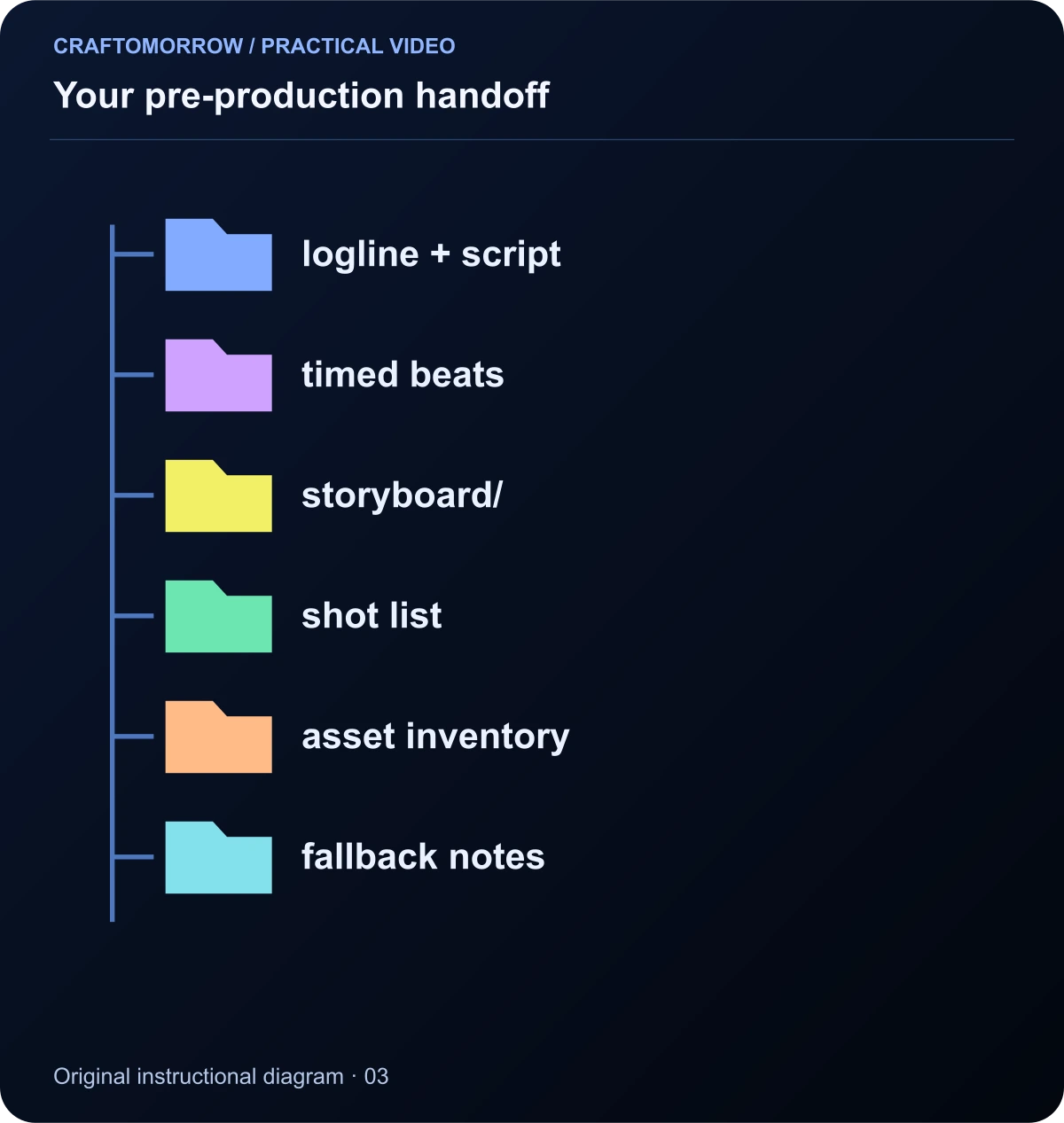
Read the diagram as text
- logline + script
- timed beats
- storyboard/
- shot list
- asset inventory
- fallback notes
About the visuals: cover artwork is an original AI-assisted conceptual illustration. Instructional diagrams are authored illustrations, not application screenshots, measured benchmarks or proof of customer outcomes. Public creator references are linked for study; their files and workflows are not included in the download.
Was this article useful?
Your feedback helps us improve these guides.